Icon of program: SmartCapture

SmartCapture for Windows

  • Trial version
  • 3.6
    83
  • 20.1K
  • V3.22.5

Efficient Screen Capture Tool for Windows

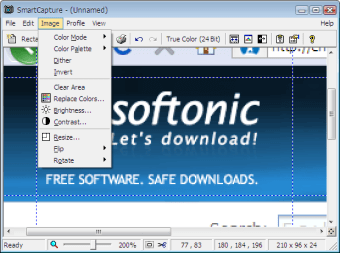
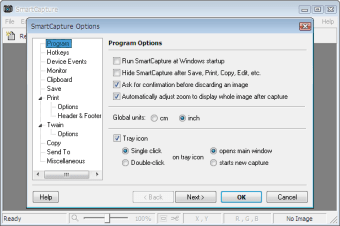
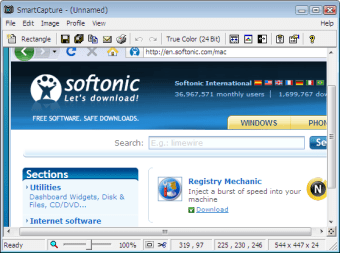
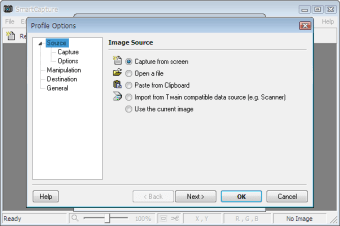
SmartCapture is a robust trial version software designed for Windows that specializes in screen capturing. This utility allows users to capture images from their screen with ease, providing various options for customization and output formats. The intuitive interface makes it accessible for both beginners and experienced users, ensuring that capturing screenshots is a straightforward process.

Top Recommended Alternative
In addition to basic screen capture features, SmartCapture offers advanced functionalities such as the ability to select specific areas or full windows, as well as options to annotate and edit captured images. This program is ideal for those who need a reliable tool for creating tutorials, presentations, or sharing information visually. Its trial version allows users to explore its features before making a purchase decision.


 0/4

App specs

Program available in other languages


Icon of program: SmartCapture

SmartCapture for PC

  • Trial version
  • 3.6
    83
  • 20.1K
  • V3.22.5

User reviews about SmartCapture

Have you tried SmartCapture? Be the first to leave your opinion!

Add review

You may also like

Alternatives to SmartCapture

Explore Apps

Latest articles

Laws concerning the use of this software vary from country to country. We do not encourage or condone the use of this program if it is in violation of these laws.

Softonic

Is SmartCapture safe?

96/100

Score result: Clean

This file passed a comprehensive security scan using VirusTotal technology. It is safe to download.

  • Virus free
  • Spyware free
  • Malware free
  • Verified by Security Partners

    VirusTotal logo

Scan Info

Last scan
Thursday, January 15, 2026
Scan provider
VirusTotal · Full report

File Integrity

File
SmartCapture_V3.22.5.exe
SHA256
1692ffbe144e11039b846c85ab32454fb03cef3c4ee5db587ca135f086d4fb89
SHA1
5b0476f1971159f9540b9c25a93df0fcac106761

Softonic security commitment

SmartCapture has been thoroughly scanned by our advanced security systems and verified by industry-leading partners. This file comes from the official developer and has passed all our security checks, showing no signs of viruses, malware, or spyware. For more information, visit our Security and Trust Center